CDU Link · RJ edition
Your WinWing MCDU, speaking RJ.
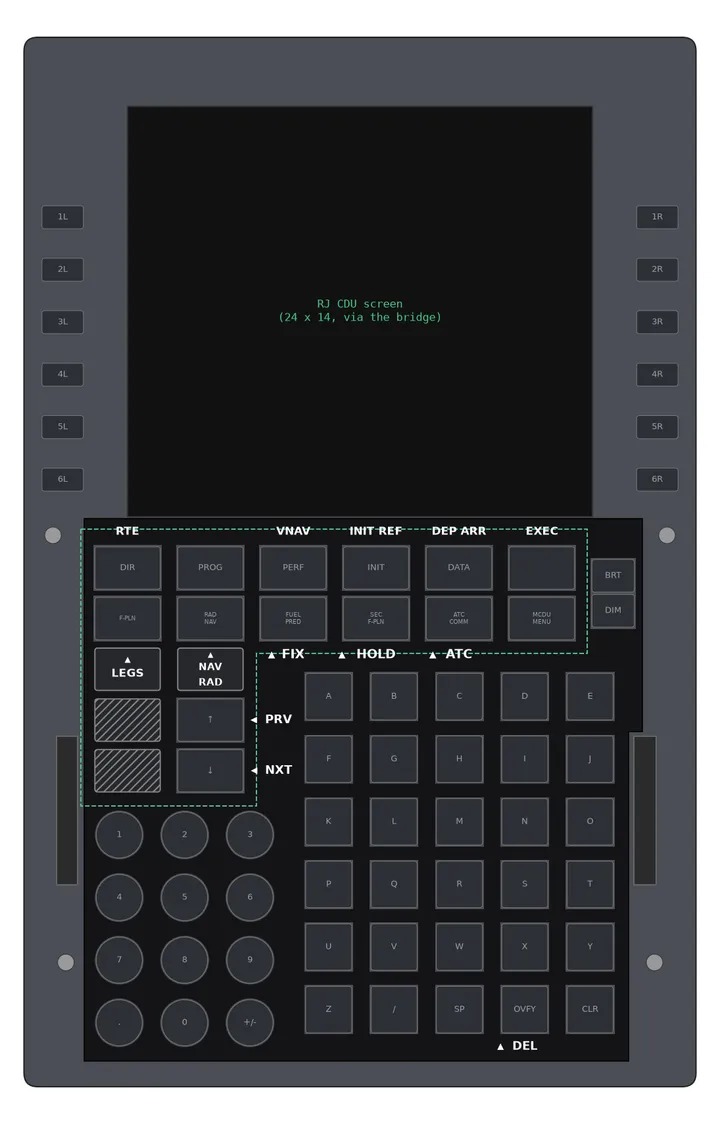
The Just Flight Avro RJ's CDU on your WinWing MCDU-32: its screen mirrored line by line, its keys mapped, and a printable overlay that puts the RJ's own legends on the keys.
 Render
 Render of the overlay design, drawn from WinWing's to-scale manual drawing. A photo of a printed overlay replaces it once printed.
How it works
- CDU Link reads the RJ's CDU screen on your own PC and sends the text to MobiFlight. Nothing leaves your computer.
- MobiFlight drives the WinWing MCDU's display and keys with the included profile.
- The printed overlay sits over the MCDU's key caps: RJ legends where the keys differ, hoods over the keys the RJ doesn't use.
Tested with
| What | Status |
|---|---|
| WinWing MCDU-32 | Firmware 1.06 |
| Just Flight RJ Professional (RJ85) | MSFS 2024 |
| MobiFlight | 11.3 |
| Other aircraft | Not yet: by pre-order |
WinWing is a hardware maker we're not affiliated with. You need your own MCDU-32 and MobiFlight (free).
Other aircraft: by pre-order
Each new aircraft means buying it and mapping its CDU. When enough people ask for one, a pre-order opens; the edition is built once pre-orders cover the cost, and nobody is charged unless it ships.